A charging pad can make a bedside table, desk or kitchen counter far less cluttered. Place your phone down, see the charging symbol, and get on with your day. But convenience should not mean guesswork. This guide to wireless charging safety explains what to buy, what to watch for and when to stop charging before a small issue becomes an expensive repair.
Guide to wireless charging safety: start with the right charger
The safest wireless charging setup begins with a charger designed for your device. Check your phone manufacturer’s guidance for supported wireless charging standards and maximum charging speeds. Most modern phones use Qi-compatible charging, but compatibility does not always mean every pad will deliver the same speed or experience.
Choose a reputable charging pad, stand or power bank with clear product information, proper safety certification and a suitable mains adapter. A cheap, unbranded charger may work at first, but poor build quality can mean unstable power delivery, excessive heat or a cable that fails sooner than it should. Good value is not simply the lowest price – it is a charger that performs reliably every day.
The plug and cable matter too. A wireless charger still receives power through a cable and mains adapter. Use the adapter supplied with the charger where possible, or one that meets its stated power requirement. Pairing a fast wireless pad with an underpowered plug may result in slow charging, while a damaged or low-quality cable can cause intermittent charging and heat.
If you are replacing several accessories at once, keep the setup simple. A compatible pad, dependable USB-C cable and correctly rated wall charger are usually a better choice than mixing old leads and unknown adapters from a drawer.
Heat is the main warning sign
Wireless charging naturally creates more warmth than plugging a cable directly into your phone. Energy passes between coils rather than through a physical connector, and some energy becomes heat. A phone that feels mildly warm can be normal. A phone that is too hot to hold comfortably is not something to ignore.
Heat can slow charging because your device is protecting its battery. Repeated high temperatures may also contribute to battery wear over time. If your phone becomes very warm, remove it from the charger, let it cool down and check the position of the device and charger before trying again.
Keep the charging pad on a hard, flat and well-ventilated surface. A desk, bedside table or shelf is suitable. Avoid charging on bedding, cushions, a sofa or under clothing, where heat can build up. Do not cover the charger or phone while it is in use.
Warm rooms make a difference as well. A phone left in direct sunlight, in a hot car or beside a radiator should cool before charging. This is especially useful in summer, when a handset may already be working harder due to navigation, streaming, mobile data or a bright screen.
Take off cases that trap heat
Many slim cases work perfectly with wireless chargers. Thick cases, wallet cases, magnetic accessories and cases with metal elements can interfere with charging or make the phone warmer. If charging cuts in and out, takes far longer than expected or the handset feels hot, try charging without the case.
Never leave bank cards, key fobs, coins or other metal objects between the phone and pad. They can disrupt the connection and may become warm. Magnetic cards can also be affected by magnets used in some charging systems or phone cases.
Position your phone properly
A wireless charger works best when the charging coils are aligned. On a flat pad, place the phone centrally and check that the charging indicator appears. On a stand, make sure the handset sits at the intended height. If the phone is constantly moved, vibrates with notifications or slides out of position, it may repeatedly start and stop charging.
That stop-start behaviour is not usually dangerous on its own, but it is inefficient and can create unnecessary heat. Keep the surface clear, and do not stack another device on top of the phone while it charges.
Charging stands can be useful for office workers and commuters who want to see notifications without picking up their phone. Flat pads may suit a bedside table better. Neither is automatically safer – the key is stable placement, good ventilation and compatible equipment.
Protect the battery, not just the phone
Modern phones manage charging intelligently. Most will slow down or pause if they become too warm, and many include battery optimisation features for overnight charging. That means charging overnight is generally fine when you use suitable equipment on a clear, hard surface.
Still, it depends on the condition of your device and setup. Do not make a habit of charging a phone beneath a pillow, on a soft mattress or beside liquids. Avoid running demanding games, video calls or navigation for long periods while the phone is charging wirelessly, particularly if it is already warm. If you need maximum speed before leaving home, a compatible wired charger may be more efficient and generate less heat.
You do not need to run the battery to zero before charging it. Regular top-ups are fine. The bigger concern is prolonged heat, physical damage and unreliable accessories rather than charging from 40 per cent to 80 per cent during the day.
Watch for signs of battery damage
Stop using the phone and charger if you notice a swollen back panel, a lifting screen, a chemical smell, unusual heat, repeated shutdowns or a battery that drains suddenly. Do not press a swollen phone flat, puncture it or continue charging it in the hope that the issue will settle.
Battery swelling needs professional attention. Keep the device away from flammable materials and arrange a repair assessment promptly. A replacement battery is far safer than continuing with a damaged one.
Use wireless charging safely when travelling
Wireless charging is handy for travel, but public charging points and hotel-room accessories deserve the same caution as any other power source. If you use a wireless pad away from home, inspect it first. Look for cracked casing, loose connections, exposed wiring or signs that it has overheated.
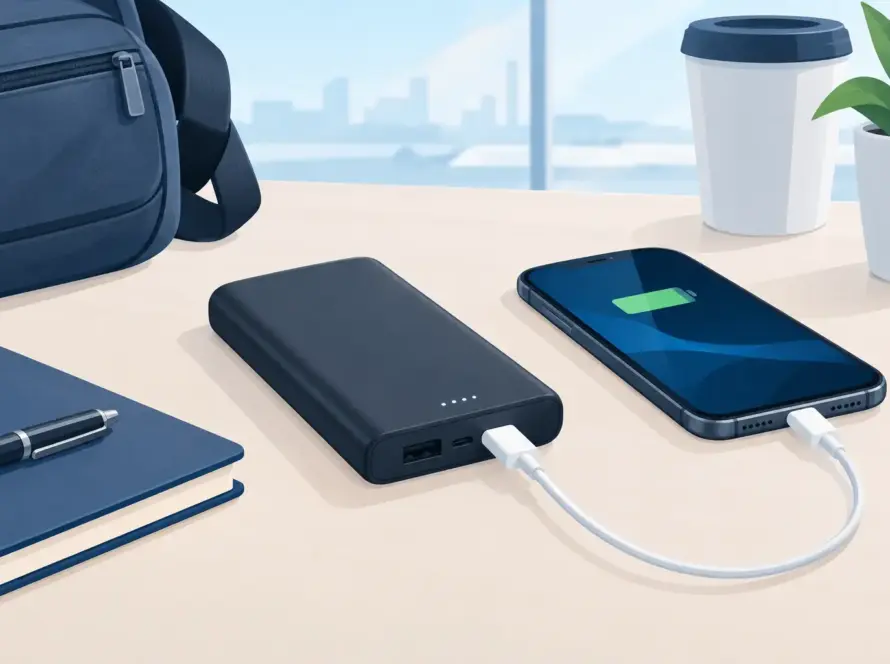
For regular travel, a compact pad or wireless power bank from a trusted retailer gives you more control over the equipment you use. Pack its matching cable and use a quality travel adapter suitable for the country you are visiting. Do not leave a phone charging unattended in a hot car, near a hotel kettle or on a cluttered surface where it can be knocked off.
Wireless power banks are useful on trains, at airports and during long days out, but they need care too. Keep them dry, avoid crushing them in an overfilled bag and stop using them if they swell, crack or become unusually hot.
When a charging fault needs checking
Not every charging problem is caused by the pad. A worn battery, damaged rear glass, internal charging coil fault, software issue or liquid damage can all affect wireless charging. If several known-good chargers fail to work with your phone, the handset may need inspection.
Start by restarting the device and removing the case. Check for software updates and test a different compatible pad and power adapter. If the problem continues, avoid repeatedly repositioning the phone for hours or relying on a charger that gets hot. A quick repair check can identify whether the issue is with the accessory or the device itself.
InstaTech can help with practical charging solutions, from replacement cables and chargers to device repairs when a fault needs more than a new accessory. Bringing the phone and charger together makes it easier to narrow down the cause.
A safe wireless charging routine is simple: use compatible equipment, keep it cool, keep it clear and pay attention when your phone behaves differently. That small check before charging can protect the device you rely on every day.