A cracked screen before the morning commute is frustrating. A phone that will not charge when you need your boarding pass is worse. But a fault does not automatically mean you need a new handset. The right call in the phone repair versus replacement decision comes down to what has failed, what the fix costs and how well the rest of the device still serves you.
For most people, the sensible option is not about having the newest model. It is about getting back to work messages, family calls, banking apps, photos and travel plans quickly, without spending more than necessary.
Start with the fault, not the panic
Some issues sound serious but are often straightforward to fix. A smashed display, tired battery, broken charging port, damaged rear glass or faulty camera can usually affect one part of an otherwise reliable phone. If the handset is still fast enough for your needs, receives security updates and has no major internal damage, repair can be excellent value.
The visible problem is not always the underlying one, so it helps to note how the fault started. Did the screen fail straight after a drop? Has the battery got gradually worse over months, or did the drain begin after a software update? Did the phone get wet, run unusually hot or start restarting on its own? These details help a technician find the likely cause and give you a clearer quote.
A few safe checks are worth doing first. Remove the case and look for obvious damage, restart the phone if it responds, and try a different charger if it will not charge. Do not force a cable into a damaged port, press on a swollen battery or keep charging a phone that gets very hot. Those problems need professional attention.
Repair options for common faults
How much sense repair makes depends heavily on what has gone wrong. Here is how the most common faults usually play out.
Cracked or faulty screen
If the glass is cracked but the picture is clear and touch works, you may be able to use the phone for a short while. Cracks can spread, let in moisture and leave sharp edges, though. A screen replacement is usually the sensible option when the display flickers, shows black patches or coloured lines, has dead areas or no longer responds properly to touch.
Part quality matters here. A cheaper screen can mean weaker brightness, less accurate colour or reduced touch sensitivity, so ask what type of part will be fitted.
Worn battery
Batteries naturally lose capacity over time. Needing to charge more than once a day, sudden percentage drops or shutdowns in cold weather are common signs. Background apps, weak signal and high screen brightness can also make a battery seem worse than it is, so an assessment can confirm whether it is genuinely worn.
If the back of the phone is lifting, stop using it and get it inspected promptly, as this can indicate a swollen battery. Do not try to flatten it or leave it charging overnight.
Charging problems
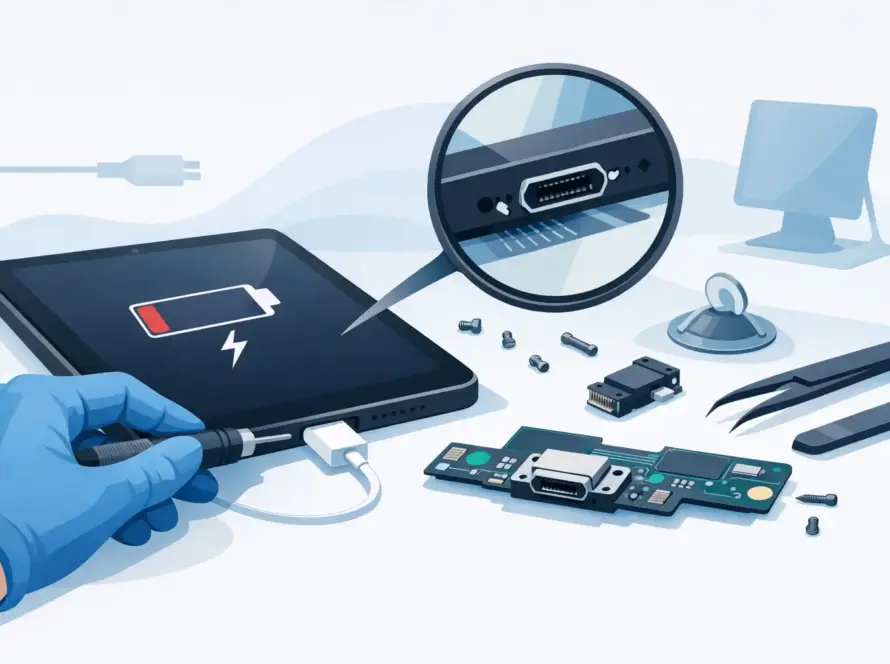
Your phone may not need replacing because it only charges at a certain angle. Lint in the port, a worn cable or a failing plug can create the same symptom. Trying a known-good cable and charger first may save you a repair bill entirely. A technician can clean and inspect the port, and if the port itself is worn, replacing it is often far cheaper than buying another phone.
Camera, speaker, microphone and buttons
A blurry camera, muffled speaker or stuck power button can make a phone frustrating even when the screen looks perfect. Some camera faults are just a damaged lens cover, while others involve the camera module. Sound problems can come from debris in a grille, moisture or a failed internal part. Testing before repair helps avoid replacing the wrong component.
Water damage
Water damage needs a more careful approach. A device that has been exposed to liquid may appear fine at first and then develop problems later as corrosion sets in. If your phone gets wet, switch it off if you can, remove the case and do not connect a charger. Avoid heating it with a hairdryer or radiator, and skip the bag of rice, which does not remove moisture from inside the device.
A prompt repair assessment can tell you whether cleaning or component-level work is realistic, but there is no guarantee with severe corrosion. Water can affect several parts at once, and in that case replacement may be the safer long-term choice.
When phone repair is usually the better value
Repair makes particular sense when the problem is isolated and the phone is otherwise in good condition. A newer handset with a cracked screen is a classic case. The cost of a quality screen repair is generally a fraction of the price of replacing a current model, especially when you factor in cases, screen protection and the time needed to set up a new phone.
Battery replacement can also extend a phone’s useful life. If your battery runs flat by mid-afternoon but the screen, cameras, buttons and performance are still good, a new battery can make the device feel dependable again. This is especially useful for students, commuters and anyone who spends long days away from a plug socket.
Repair is often the best choice when you know the device well. Your apps are set up, your photos are where you expect them to be, and your login details are already working. Even with a backup, changing handset takes time. There are banking apps to verify, digital tickets to restore, work accounts to reconnect and settings to personalise.
It can also be the lower-waste option. Keeping a usable device in service reduces the need to manufacture and transport a replacement. That is not a reason to keep an unreliable phone forever, but it is a worthwhile benefit when a practical repair is available.
Check the total repair cost
Do not compare a repair quote only with the full retail price of a brand-new flagship. Compare it with the genuine alternatives: a suitable new model, a refurbished handset or the value of your current phone if sold or traded in. A low-cost used phone is not always a bargain if it has weak battery health or no warranty.
As a simple rule, repair is worth strong consideration if it restores a phone that meets your needs for a clearly lower cost than replacement. The decision gets less attractive when two or more expensive parts need replacing at once, such as the screen, battery and rear housing after a heavy drop. In that situation, ask for a full quote before authorising work.
Quality matters too. A cheap fix that causes touch issues, poor brightness or unreliable charging is not good value. Ask what part is being used, whether the repair includes a warranty and whether the quoted price covers fitting and testing. Clear answers are part of a repair you can trust.
When replacement is the smarter move
A phone can be repairable without being worth repairing. Replacement is often sensible when the device is old enough that it no longer receives security updates, struggles with everyday apps or has several faults at once. If calls drop out, storage is permanently full, the battery is weak and the screen is damaged, fixing one issue may simply reveal the next.
Repeated repairs are another warning sign. One accidental screen break does not mean the handset is finished. But if you have paid for multiple fixes in a short period and reliability is still poor, putting more money into the device may not be the best use of your budget.
Consider replacement if you need features your current phone cannot provide. You might need more storage for work files, better battery life for travelling, a stronger camera for a small business, 5G support or a larger display for accessibility. A repair restores what you had. A replacement can solve a limitation that has been bothering you for months.
Security should carry real weight. If your device no longer receives manufacturer security updates, it becomes harder to protect personal information over time. For a phone used for banking, email, shopping and work accounts, replacement may offer better peace of mind than another repair.
Do not forget the hidden replacement costs
The price on the handset is not always the final cost. A new phone may need a case, screen protector, charging cable or compatible charger. Some models no longer include a charging plug, while others use a different cable from your old device. Budget for the essentials so the purchase does not become more expensive than expected.
There is also the setup time. Before handing over an old device, back up photos, contacts, notes, messages and authenticator apps. Make sure you know your passwords and remove accounts properly once everything has transferred. If the phone still powers on, doing this before it fails completely is much easier.
A practical way to decide in 10 minutes
Start by writing down the fault and how it affects your day. Is the phone unusable, or is it annoying but manageable? Next, check its age, available storage, software support and general performance. A two-year-old phone with a broken screen is very different from a six-year-old phone that freezes every day.
Then get a repair assessment and compare the quote with realistic replacement options. Be honest about what you need. If you mainly use calls, maps, messaging, music and contactless payments, you may not need a premium new model. If your phone supports your freelance work, content creation or travel, reliability and battery life may justify spending more.
Finally, look at the condition beyond the visible fault. Check the cameras, speakers, microphone, buttons, signal, fingerprint or face unlock, and charging. If only one element is faulty, repair has a strong case. If several functions are fading, replacement becomes easier to justify.
How to choose a repair service
Speed matters when your phone is essential, but it should not mean guesswork. Look for a repair provider that explains the fault in plain language, gives transparent pricing and tells you honestly if a repair is not economical. Before you agree to any work, it is worth asking:
- Is a diagnostic check needed before a final quote?
- What quality of part will be fitted, and is the repair covered by a warranty?
- How long is the job likely to take?
- What access to the phone is needed for testing?
When you collect the phone, test the screen, cameras, speakers, microphone, buttons and charging before you leave. You can find out more about InstaTech’s mobile repair services or book an appointment to have the fault looked at.
Make the change without losing your data
Whether you repair or replace, protect your information first. Back up the phone where possible, either to a secure cloud account or a computer. Keep your passcode available for a repair technician if it is needed for post-repair testing, but never share banking PINs or passwords. If the repairer asks, turn off device-tracking or activation lock and remove your SIM card before handing the phone over.
If you replace the device, transfer your data before wiping the old one. Confirm that photos, contacts, messages, app logins and two-factor authentication are working on the new handset. Only then should you erase the previous device, remove any SIM or eSIM details and prepare it for sale, trade-in or recycling.
Frequently asked questions
Is it cheaper to repair or replace a phone?
For a single fault such as a cracked screen, worn battery or faulty charging port on an otherwise good phone, repair usually costs far less than a comparable new handset. Replacement becomes better value when several major parts have failed or the phone no longer gets security updates.
Is it worth repairing a water-damaged phone?
It can be, but the outcome is less predictable. Get it assessed promptly, as corrosion can spread over time. If several components are affected, replacement may be the safer option.
How do I know if my phone battery needs replacing?
Common signs include charging more than once a day, sudden percentage drops and unexpected shutdowns. If the back of the phone is lifting, stop using it and have it inspected, as the battery may be swollen.
Should I back up my phone before a repair?
Yes. If the phone still powers on, back it up to the cloud or a computer before handing it over, and make sure you know your passcode and account details.
Phone repair versus replacement: choose what lasts
The best decision is the one that gives you a dependable phone at a fair cost. Repair is often the quick, value-led answer for isolated damage. Replacement is usually better when age, weak performance, outdated security or repeated faults are already getting in the way.
A clear assessment takes the guesswork out of it. At InstaTech, you can have the fault checked, sort a practical repair where it makes sense, and pick up the charging or protection accessories that help keep your device ready for the next busy day.