A cable stops being a small purchase when your phone is on 3% at the station, your laptop needs power before work, or the family iPad will not charge. In the USB-C versus Lightning choice, the right answer comes down to the device you own, the accessories you use and whether you want one cable type for more of your everyday tech.
Lightning remains common in many Apple devices, while USB-C has become the standard connection for a huge range of phones, tablets, laptops, headphones, power banks and chargers. Both can be reliable. The practical difference is compatibility: buying the wrong connector will not solve the problem, no matter how good the cable looks.
USB-C versus Lightning: the quick difference
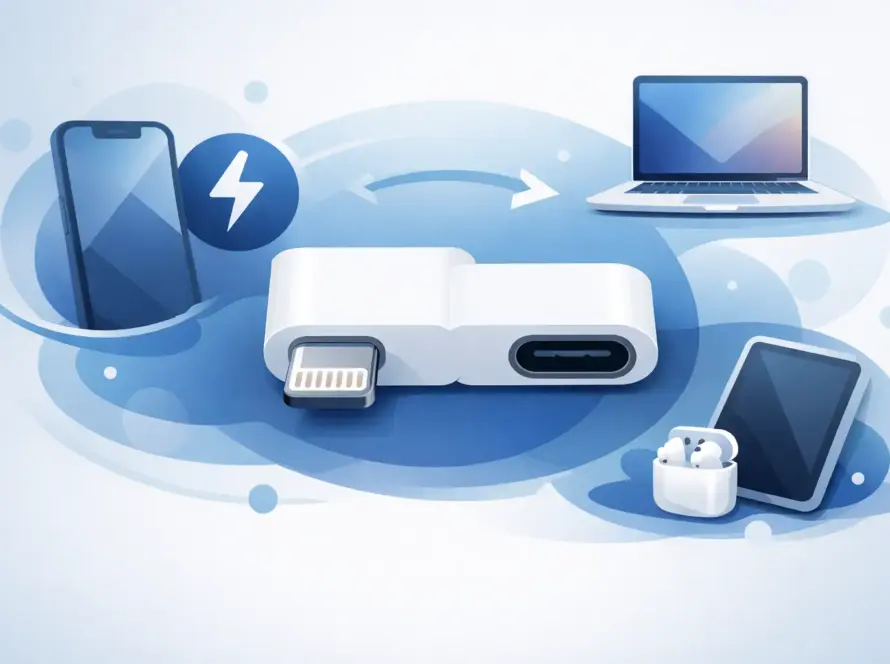
USB-C and Lightning are physical connector types. USB-C is the small, rounded, symmetrical port now used across most modern Android phones, many laptops, games consoles, tablets and newer iPhones. It can be inserted either way up, which is a welcome improvement when you are plugging in a cable in the dark.
Lightning is Apple’s smaller proprietary connector. It is also reversible and has been used on many iPhones, iPads, AirPods cases and accessories for years. If your Apple device has a narrow port with a small row of visible contacts on the cable end, it uses Lightning.
The simplest rule is this: older compatible Apple devices need a Lightning cable, while newer USB-C devices need a USB-C cable. Check the port itself before ordering, especially if you are replacing a cable in a hurry.
Why USB-C is becoming the everyday standard
USB-C is designed to do more than charge a phone. Depending on the device, charger and cable, it can carry power, move files, connect displays and link accessories such as external storage, keyboards and docking stations. That flexibility is why it is increasingly the one connection found in backpacks, desks and travel adaptors.
For everyday customers, the biggest benefit is fewer cables. A USB-C wall charger may be able to charge your phone, tablet, wireless earbuds, power bank and laptop, provided it has enough power for each device. It is particularly useful for students, commuters and anyone who travels with more than one device.
USB-C also supports faster charging on many devices. A suitable USB-C Power Delivery charger and cable can provide substantially more power than an older basic USB plug. However, charging speed is never determined by the connector alone. Your device has its own charging limit, and the plug, cable and power source must support the right standard.
That means a powerful laptop charger will not force too much power into your phone. Compatible modern devices negotiate the power they need. But a low-quality, damaged or incorrectly specified cable can still cause slow charging, unreliable connections or overheating. Value matters, but dependable accessories matter more.
Where Lightning still makes sense
Lightning is not automatically outdated if it is what your device uses. It remains the correct and convenient choice for many iPhones, older iPads and Apple accessories. Replacing a worn Lightning cable with a quality option is far cheaper than changing devices just to standardise your charging setup.
It can also be a sensible choice for households with several older Apple products. If everyone already has Lightning ports, keeping a spare cable in the car, at work or beside the bed is practical. A USB-C to Lightning cable is useful when you have a USB-C charging plug but a Lightning iPhone or iPad.
The limitation is that Lightning is largely tied to Apple equipment. It cannot offer the same all-purpose convenience as USB-C across laptops, Android devices and newer tech accessories. As devices move towards USB-C, Lightning users may need an extra cable or adapter in their bag for a while.
Charging speed: look beyond the connector
A common mistake is assuming every USB-C cable is fast and every Lightning cable is slow. The actual result depends on four parts working together: your device, the cable, the charger and the power source.
For example, a USB-C phone connected to an old low-power USB charger may charge slowly. The same phone with a suitable USB-C Power Delivery charger may charge much faster. Equally, an iPhone with a Lightning port can support faster charging with the right USB-C to Lightning cable and compatible charger.
Cable length can also make a difference. A longer cable is handy beside the sofa or bed, but it should be well made and rated for the job. For a laptop or high-wattage charger, choose a USB-C cable clearly designed to carry the required power. A basic phone charging cable may not be suitable for a laptop, even if the connector fits.
If your device charges slowly, cuts in and out, or only works when the cable is held at a particular angle, do not assume the charger is the problem. The cable may be worn, or the charging port may have compacted lint or damage. A repair check can prevent you from repeatedly buying accessories that do not fix the real fault.
Data transfer and accessories
USB-C has a stronger advantage when you regularly move files or connect accessories. On supported devices, it can handle high-speed data, external displays, memory cards, storage drives and hubs. This is useful for freelancers transferring photos, students working between devices and anyone using a laptop as their main workstation.
There is an important catch: USB-C describes the connector, not a guaranteed speed. Some USB-C cables are intended mainly for charging and transfer data at basic speeds. Some devices also use a USB-C port but do not support every display or data feature. If you need to connect a monitor, SSD or docking station, check the cable and device specifications rather than buying solely by appearance.
Lightning is more limited for general accessories, although it still works well for charging, syncing and compatible Apple add-ons. For most people, that is enough. If you only want to charge an iPhone overnight or connect it to your car, Lightning remains straightforward.
Choosing the right cable for your device
Start with the port on your device, then consider the other end of the cable. A cable can have USB-C on both ends, USB-A on one end and USB-C on the other, or USB-C on one end and Lightning on the other. Your charger determines which version you need.
A USB-C wall plug works best with a USB-C to USB-C cable for newer phones, tablets and laptops. If you own an iPhone, iPad or AirPods case with a Lightning port and have a USB-C plug, choose USB-C to Lightning. If you are using an older USB-A charging plug, you may need USB-A to Lightning or USB-A to USB-C instead.
Before buying, check these practical details:
- The connector at your device and the socket on your charging plug.
- The charging power your phone, tablet or laptop requires.
- Whether you need fast charging, data transfer or display support.
- The cable length that suits your desk, car or bedside setup.
- Whether you need a spare cable for travel, work or a shared family charger.
For Apple devices with Lightning, use a properly certified cable from a trusted retailer. Cheap, unverified cables can trigger compatibility warnings, fail early or charge unreliably. For USB-C, look for a cable with clear power and data information, particularly for laptops and high-power chargers.
Should you switch from Lightning to USB-C?
Do not replace a working device purely because it uses Lightning. A good Lightning cable and charger still do the daily job. Switching makes more sense when you are upgrading a phone, tablet or laptop and want to reduce the number of cable types you carry.
USB-C is the more flexible long-term choice because it is used across so many categories. It can make a noticeable difference if you are tired of carrying separate leads for your phone, laptop, power bank and headphones. But the best setup is not always one cable for everything. A family with a mix of older Apple devices and newer USB-C equipment may need both, plus a clearly labelled spare for emergencies.
When charging problems are more than a cable issue
If several cables fail to stay connected, charging has become unusually slow, or your device gets hot around the port, the problem may be inside the phone or tablet. Dirt in the port is common, but bent contacts, liquid damage and worn charging assemblies need proper attention.
Avoid pushing pins, paper clips or sharp objects into a charging port. It is easy to make a small fault worse. A quick assessment from a repair specialist can establish whether you need a new cable, a new charger or a port repair – and save money on the wrong fix.
The most useful cable is the one that matches your device, charges it safely and is ready when you need it. Keep a reliable spare where life happens most: your bag, your desk or the car. Quality tech, unbeatable value, and one less low-battery problem to deal with.