Your laptop charger usually gets ignored until the day it stops working five minutes before a meeting, lecture, train journey or deadline. When you need a laptop charger replacement, speed matters, but so does getting the right one. Pick the wrong charger and you can end up with slow charging, battery problems, connection issues or, in the worst cases, damage to the laptop itself.
The good news is that replacing a charger is normally straightforward once you know what to check. You do not need to be an engineer. You just need the right details, a bit of caution, and a charger that matches your laptop properly.
How to choose a laptop charger replacement
Most people start with the laptop brand and stop there. That helps, but it is not enough. Many brands make several charger types across different models, and even laptops from the same range can use different wattages or connector tips.
The safest way to choose a replacement is to check four things: voltage, amperage, wattage and connector type. These details are usually printed on the old charger or on the label underneath the laptop.
Voltage needs to match exactly in most cases. If your original charger says 19V or 20V, your replacement should match that figure. Amperage can be the same or higher, as the laptop will only draw what it needs. Wattage also matters because a charger with too little power may not keep up, especially if you are using demanding software, charging the battery and running the screen at full brightness.
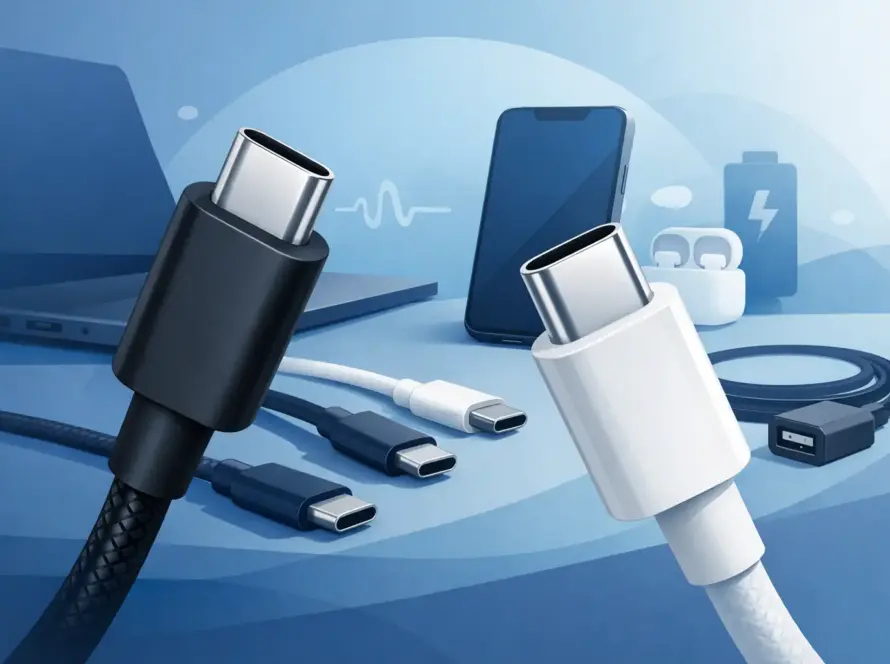
Connector type is where many people get caught out. Two charger tips can look almost identical but still fit badly or fail to charge properly. Some newer laptops use USB-C charging, which sounds simple, but even then there are differences in power delivery support and maximum wattage.
Original, compatible or universal charger?
This is where it depends on what matters most to you – price, convenience or exact brand matching.
An original charger from the laptop manufacturer is usually the simplest option. It is designed for that model, so compatibility worries are minimal. The downside is cost. Original chargers often carry a premium, and some older models are harder to source.
A high-quality compatible charger can be a smart alternative. If it matches the required specifications and comes from a reliable seller, it can offer excellent value. For many everyday users, this is the sweet spot between price and performance.
Universal chargers are more mixed. They can be useful if you need a temporary fix or want one charger for multiple devices, but they are not always the best long-term answer. Adjustable tips and broad compatibility claims sound convenient, yet the fit and charging stability may not be as reliable as a dedicated charger.
If your laptop supports USB-C charging, a good USB-C power adapter can work very well, but only if the charger supports the right power output. A phone charger with a USB-C cable is not automatically suitable for a laptop.
Signs you need a replacement charger
Sometimes the charger is clearly dead. Other times the fault is less obvious.
If your laptop only charges when the cable is held at a certain angle, the connector or internal wiring may be damaged. If the charging light comes on and off without reason, that is another common warning sign. A charger that runs unusually hot, makes buzzing noises or has visible fraying should be replaced quickly.
It is also worth checking whether the issue is actually the charger. The laptop charging port, battery or charging circuit can also cause similar symptoms. If possible, test the charger with a compatible device or try another known working charger on your laptop before buying a replacement.
A worn charger is not something to keep pushing along with tape and luck. Exposed wires, bent pins and overheating plugs are safety risks as well as reliability problems.
What wattage do you need?
Wattage is one of the most important parts of a laptop charger replacement, and it is often overlooked.
A lightweight notebook may only need 45W or 65W. A larger work laptop might need 90W. A gaming laptop or high-performance workstation can require 120W, 180W or more. If you replace a higher-wattage charger with a lower one, the laptop may charge very slowly, refuse to charge while in use, or display a power warning.
Going higher on wattage is usually fine, provided the voltage and connector are correct. Your laptop will only take the power it needs. Going lower is where problems usually start.
This matters even more if you use your laptop for video calls, spreadsheets, design work, editing or anything that pushes the processor harder than basic browsing. Underpowered chargers often seem acceptable at first, then become frustrating once real use starts.
USB-C laptop charger replacement
USB-C has made charging more convenient, but not all USB-C chargers are equal. The cable matters, the plug matters, and power delivery support matters.
Some laptops will charge happily from a 65W USB-C charger. Others need 100W or more. Some will trickle charge from a lower-powered adapter while asleep, but not when switched on. That can make people think the charger works fine until they actually use the laptop and watch the battery percentage stand still.
If you are buying a USB-C laptop charger replacement, check that both the charger and cable support the wattage your laptop needs. A cheap cable can become the weak point even if the plug itself is rated correctly.
USB-C is convenient for travel and everyday use because one charger may power a laptop, phone and tablet. Still, this only works well if the charger has enough output for the biggest device in the bag.
Cheap chargers versus reliable chargers
Everyone likes a bargain, especially when the charger was not a planned purchase. But very cheap chargers can be a false economy.
Poorly made chargers may use lower-grade components, provide unstable power or wear out quickly. In some cases, they get hot, fail early or trigger charging errors. That does not mean every affordable charger is bad. It means the cheapest option on the shelf is not automatically the best value.
Look for clear specifications, decent build quality and sensible compatibility information. If the product description is vague, the brand is unfamiliar and the charger claims to fit almost every laptop ever made, be cautious.
For most people, the best buy is a charger that is properly matched, reasonably priced and backed by a seller that knows the difference between laptop models instead of treating them all the same.
Common mistakes when buying a replacement
The biggest mistake is matching by appearance only. If the tip looks right, people assume it will work. That is risky.
Another common error is buying based on brand alone without checking the exact model. A Dell charger is not automatically right for every Dell laptop, and the same goes for HP, Lenovo, Acer, ASUS and others.
People also confuse phone and laptop USB-C chargers, ignore wattage requirements, or replace only the cable when the actual fault is in the plug or power brick. If your charging problem has been getting worse over time, the whole charger assembly is often the safer replacement.
There is also the habit of keeping a failing charger as a backup. If it is overheating, sparking, splitting near the plug or cutting in and out, it is not a backup. It is a problem waiting to happen.
When a charger replacement is not enough
If a new charger does not solve the issue, the laptop may need attention. A loose charging port, internal motherboard fault or battery problem can all stop proper charging.
This is especially common if the old charger had to be held in a certain position for weeks or months. Repeated strain can damage the port inside the laptop. In that case, buying charger after charger will not fix the root cause.
That is why it helps to buy from a business that can also support repairs if needed. If the problem turns out not to be the charger, you are not back to square one.
Getting the right fit without the guesswork
A laptop charger replacement should be quick, clear and worth the money you spend. Check the model, confirm the voltage, make sure the wattage is high enough, and do not guess on the connector. If you use USB-C, confirm power delivery support and cable rating as well.
For everyday users, that is the difference between a charger that simply works and one that wastes time. InstaTech focuses on practical accessories and fast support, which is exactly what matters when your laptop is running low and your day cannot wait.
If you are replacing a charger, buy for reliability first and price second. A good charger keeps your laptop ready when you need it most, and that is usually worth more than saving a few pounds.