You usually realise you need a lightning to usb c adapter at the worst moment – when your cable will not fit, your charger is the wrong end, or you are trying to connect an older Apple device to a newer accessory before heading out. It is a small item, but getting the right one saves time, money, and a fair bit of annoyance.
The tricky part is that not all adapters do the same job. Some are built only for charging. Some handle data transfer as well. Others may support audio accessories, while many do not. If you buy on appearance alone, there is a good chance you end up with something that physically fits but does not actually work for what you need.
What a lightning to usb c adapter actually does
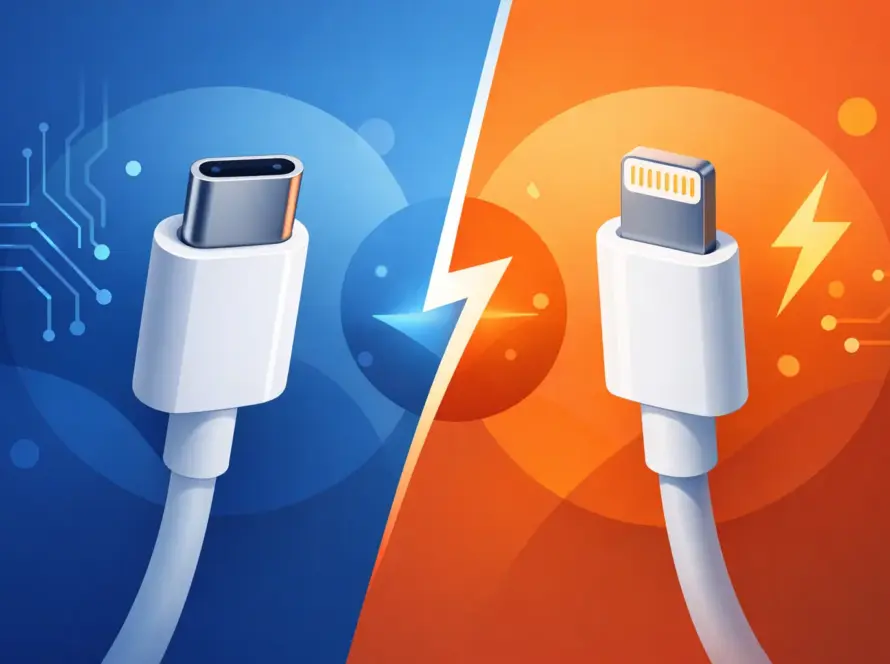
A lightning to usb c adapter connects a device or cable with a Lightning connector to one with a USB-C connector. That sounds simple enough, but the direction matters.
In real-world use, people usually mean one of two things. They either want to charge an iPhone or older iPad with a USB-C charger, or they want to connect a Lightning accessory to a USB-C device. Those are different jobs, and the adapter has to be designed for the right one.
This is where confusion starts. A tiny adapter can look universal, but many are very specific. One may let you plug a Lightning cable into a USB-C charger for charging only. Another may be made for syncing data. A third might support earphones or CarPlay, but that is far less common than many shoppers expect.
The first question to ask before you buy
Before choosing any adapter, think about what you are trying to do, not just what ports you can see.
If your goal is charging, you have more options. If you need file transfer between devices, your choice becomes narrower. If you want audio support, such as wired earphones, you need to check the product details carefully because plenty of low-cost adapters simply will not support that function at all.
That is why the best buy is not always the cheapest one. A bargain adapter that only charges is no use if you needed data. On the other hand, paying extra for features you will never use is not great value either.
Lightning to USB C adapter for charging
Charging is the most common reason people buy this type of adapter. Maybe you have moved to a USB-C plug setup at home, in the office, or in the car, but still use an iPhone with a Lightning port. Maybe you have replaced your charger but want to keep using an existing cable. Either way, an adapter can be the quick fix.
For charging, look for two things: reliable fit and sensible power support. A poor-quality adapter may connect loosely, get warm, or stop charging if the cable shifts slightly. That is frustrating at home and worse when travelling.
Power also matters. Some adapters are fine for standard charging but do not support faster charging speeds. If you use a USB-C power adapter and expect quicker top-ups, check whether the adapter is rated accordingly. Otherwise, your phone may charge, just more slowly than expected.
When data transfer matters
If you want to connect your device to a laptop, desktop, or another accessory for syncing photos, backups, or files, do not assume every adapter will do it. Many simple adapters are charging-only.
A proper data-capable adapter should clearly say so. If the listing or packaging is vague, that is usually a warning sign. You want clear compatibility information, not guesswork.
This matters for people who still plug into a computer regularly, especially students, office workers, and anyone moving large batches of photos or videos. Wireless transfer is useful, but it is not always the quickest or most reliable option. A small adapter that supports data can save a lot of waiting around.
Audio, microphones, and in-car use
This is where things get a bit more specific. Some customers want a lightning to usb c adapter for wired earphones, portable microphones, or in-car connections. That is possible in some cases, but it is not the standard.
Audio support depends on how the adapter is built and what device you are connecting. A basic charging adapter will not suddenly become an audio adapter just because the plug fits. If you need it for music, calls, recording, or navigation in the car, check that the adapter explicitly supports audio pass-through or the exact use case you have in mind.
The same applies to car systems. If you rely on a wired connection for your daily commute, spend a little more attention on compatibility before you buy. A product that works for charging in the car may still fail for audio or data-based features.
Why cheap adapters often disappoint
There is nothing wrong with wanting the best price. Most people just want something that works and does not cost more than it should. But with adapters, very cheap options can bring problems that are easy to miss until you start using them.
The first issue is build quality. Poor connectors wear out faster, wobble in the port, or stop working after being plugged in and removed a few dozen times. The second issue is inconsistent compatibility. Some generic adapters work with one charger and not another, or charge one device but refuse to sync data properly.
Then there is safety. A low-quality adapter can run hot, deliver unstable charging, or put unnecessary strain on your cable and charging port. That does not mean every affordable adapter is bad. It means you should look for clear specs, solid fit, and a retailer that sells practical accessories rather than mystery stock with vague labels.
How to choose the right lightning to usb c adapter
The easiest way to choose well is to match the adapter to one simple job. If you only need charging, buy one designed for charging. If you need charging and data, buy one that states both clearly. If audio is involved, treat that as a separate requirement and check compatibility carefully.
It also helps to think about where you will use it. For a desk setup, size may not matter much. For travel, a compact adapter that stays securely attached is more useful. For everyday commuting, durability matters more than a fancy finish.
If you use your phone heavily and charge more than once a day, do not treat the adapter as an afterthought. It becomes part of your daily setup, so reliability is worth paying for.
A quick compatibility check
Before buying, check your device model, your charger type, and the cable or accessory you plan to connect. That sounds obvious, but it is where most mistakes happen.
People often focus on the phone and forget the other end of the connection. The adapter has to match the full chain: device, cable, charger, laptop, car stereo, or accessory. One mismatch anywhere in that chain can stop the whole thing working.
Signs an adapter is worth buying
Good product information is usually a positive sign. You want clear mention of charging support, data support if relevant, and any limits around audio or fast charging. You also want the product to feel like it was built for repeated use, not just thrown in a drawer as a temporary patch.
A decent adapter should fit snugly, work consistently, and not need fiddling every time you connect it. Basic job, done properly.
Is an adapter better than buying a new cable?
Sometimes yes, sometimes no. If you already have a good cable and only need to bridge one connection type, an adapter is a cost-effective fix. It is especially handy if you want to avoid replacing multiple chargers or cables around the house.
But if your cable is worn, unreliable, or you are permanently switching to a USB-C setup, a new cable may be the better option. Fewer connection points usually mean fewer problems. An adapter adds convenience, but it also adds one more place where a poor connection can happen.
That is the trade-off. Adapters are great for flexibility, quick replacements, and mixed-device households. A direct cable is often better for a cleaner long-term setup.
Who benefits most from a lightning to usb c adapter?
This kind of adapter is especially useful if you are in that in-between stage where some of your tech is newer USB-C and some still uses Lightning. That covers a lot of people – commuters charging in the car, students carrying one power plug for several devices, families sharing accessories at home, and office workers who do not want a different cable for every desk or bag.
It is also useful as a spare. Even if it is not your main charging setup, having one in a work bag, glovebox, or travel case can get you out of a jam quickly.
If you are buying one, buy it for a clear reason, not just because it might come in handy one day. The right accessory should solve a problem straight away, and that is where real value sits.
A good adapter will not shout about itself. It will simply do the job, every time you plug in, and that is exactly what most people need.